

Standing desks promote better posture and increased energy during work hours. Building your own standing desk allows complete customization of dimensions, materials, and features while costing significantly less than commercial alternatives. This comprehensive guide covers everything from ergonomic considerations to construction techniques.
Understanding Ergonomic Requirements
Proper desk height critically impacts comfort and health during extended work sessions. When standing naturally with arms at your sides, your desk surface should align with your elbows bent at ninety degrees. This typically translates to heights between 38 and 46 inches depending on individual stature.
Desktop depth requires adequate space for monitor placement at proper viewing distance. A minimum 24-inch depth accommodates most setups, while 30 inches provides generous room for multiple monitors and work materials.
Consider width based on your equipment and work style. A 48-inch width suits most individual workstations, while 60 to 72 inches accommodates multiple monitors or collaborative work arrangements.
Choosing Your Desk Design
Two primary approaches exist for standing desk construction: fixed-height and adjustable designs. Fixed-height desks offer simpler construction and rock-solid stability but serve only users of similar height. Adjustable mechanisms add complexity and cost while providing flexibility for multiple users or alternating between sitting and standing.
For fixed designs, calculate the ideal height based on primary user measurements. For adjustable versions, commercial height-adjustment mechanisms provide reliable performance, or manual systems using pins and pre-drilled holes offer budget-friendly alternatives.
Materials and Tools Required
Desktop Materials
- Hardwood butcher block or edge-glued panel (48 to 72 inches length, 24 to 30 inches depth, 1.5 inches thickness)
- Alternative: Quality plywood with hardwood edge banding
- Wood conditioner for even stain absorption
- Stain or oil finish of your choice
- Polyurethane for durable protection
Base Components
- Height-adjustable desk frame or fixed-height leg set
- Mounting hardware appropriate to your frame
- Cable management components
- Leveling feet for uneven floors
- Optional: keyboard tray hardware
Tools Needed
- Circular saw or table saw for sizing desktop
- Router for edge profiling
- Drill with bits for hardware installation
- Orbital sander with various grits
- Clamps for glue-up if laminating desktop
- Measuring tape and combination square
Constructing the Desktop
If purchasing pre-finished butcher block, skip ahead to base assembly. For custom desktop construction, start by selecting premium lumber free from significant defects. Edge-glue multiple boards to achieve desired width, alternating growth ring direction for stability.
Apply even glue coverage to board edges, then clamp firmly with bar clamps spaced every twelve inches. Place cauls above and below the panel to prevent cupping during curing. Allow full 24-hour cure time before removing clamps.
Once glue cures, plane or sand the surface flat. This often requires significant material removal to level any misalignment between boards. Use a belt sander with 80-grit for rapid material removal, following with orbital sanding through 120, 180, and 220 grits.
Rout decorative profiles on all exposed edges. A simple roundover bit creates comfortable edges while chamfer bits offer contemporary angular aesthetics. Sand routed edges thoroughly as machine marks show prominently on curved surfaces.

Selecting Base Hardware
Commercial adjustable desk frames provide the most reliable height adjustment mechanisms. Electric motor-driven systems offer effortless adjustment with memory presets for preferred heights. Manual crank systems cost less while providing similar range and stability.
Evaluate frame specifications carefully. Weight capacity should exceed your desktop weight plus all equipment by comfortable margin. Look for frames supporting at least 150 pounds for most applications, 200-plus pounds for heavy equipment loads.
Stability matters tremendously for standing desks. Wider base footprints and quality cross-bracing prevent wobble during typing. Test adjustable frames through their full range before purchasing, as some designs become unstable at maximum extension.
Assembly Process
Begin with desktop preparation. Mark centerlines on the underside to guide frame positioning. Most frames mount symmetrically from center, but verify specific instructions for your hardware.
Position the frame per manufacturer guidelines, typically inset several inches from desktop edges. This inset provides toe clearance when standing close to the desk while maintaining proper weight distribution.
Drill pilot holes for mounting screws, sizing these carefully to prevent splitting. Most frames use coarse-thread wood screws that bite aggressively into wood grain. Drive screws firmly but avoid over-tightening that strips threads or damages the desktop.
Install cable management components during assembly. Routing power cords and data cables through under-desk channels maintains clean aesthetics and prevents tripping hazards. Many frames include integrated cable management, or add aftermarket solutions.

Finishing the Desktop
Surface preparation determines finish quality. Complete all sanding before applying any finish products, progressing through grits systematically. Skip grits result in visible scratches that show through finish coats.
For stained finishes, apply wood conditioner to prevent blotchy absorption, particularly important with softer woods like pine. Allow conditioner to penetrate per product directions, then wipe excess before staining.
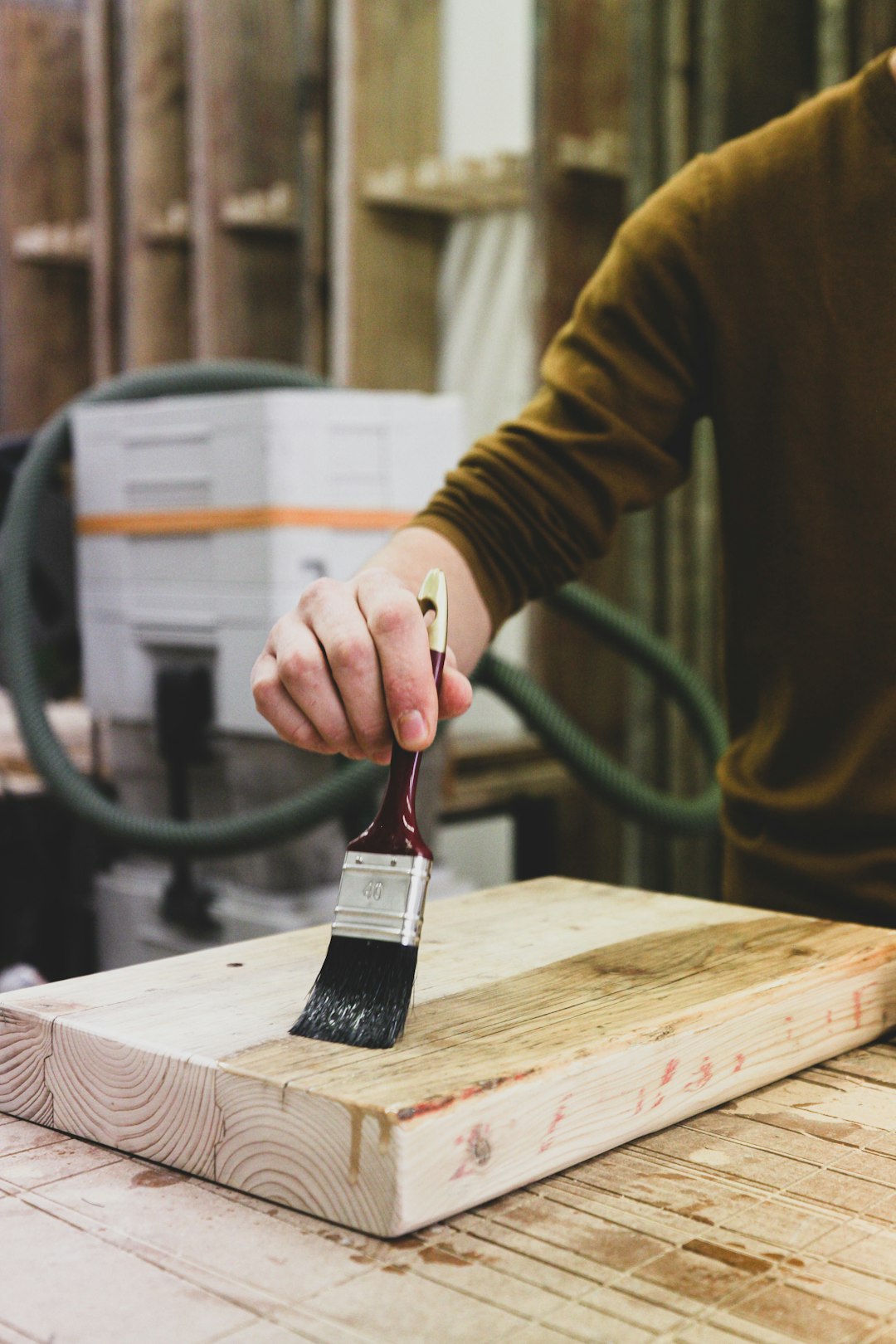
Apply stain with foam brush or clean cloth, working in manageable sections. Wipe away excess before it dries, maintaining consistent application time across the entire surface for even color.
After stain dries completely, apply protective topcoat. Water-based polyurethane offers durability without yellowing while oil-based versions provide warmer tones and slightly easier application. Apply thin coats, sanding lightly between with 320-grit paper.
Three to four topcoat applications provide adequate protection for desk surfaces subject to daily use. Allow each coat to cure fully before applying the next, typically 2 to 4 hours for water-based products.
Cable Management Solutions
Proper cable organization transforms desk functionality and appearance. Run power strips underneath the desktop, mounting them to the underside with industrial-strength adhesive strips or small screws.
Use cable raceways or simple binder clips to route cables along desk frame components. Group cables together where possible, separating power from data cables to reduce interference.
For height-adjustable desks, ensure adequate cable length for full range of motion. Use cable sleeves to bundle cords together while allowing necessary movement during height changes.
Adding Functional Accessories
Keyboard trays lower typing surfaces below desktop height, improving ergonomics for proper wrist position. Under-mount trays slide out when needed and tuck away when desktop space is required.
Monitor arms free desktop space while providing perfect screen positioning. Adjustable arms accommodate various monitor sizes and allow repositioning throughout the workday.
Consider adding a small shelf or platform at desktop level for frequently used items. This elevation creates visual hierarchy and keeps essential items within easy reach without consuming prime workspace.

Height Adjustment Strategies
For manual adjustment systems using pins and holes, pre-drill height positions at two-inch intervals. Mark these positions clearly with permanent labels indicating measurements from floor to desktop surface.
Electric systems should be programmed with preferred positions. Most users benefit from two presets: standing height and seated height if using with an appropriate stool.
Transition gradually between sitting and standing. Start with 20-30 minute standing intervals, gradually increasing duration as your body adapts. Most people find 50-50 distribution between sitting and standing optimal for comfort and productivity.
Ensuring Stability
Test desk stability thoroughly before regular use. Apply lateral pressure at various heights to identify any wobble or flex. Tighten all hardware connections and verify level placement using a carpenter's level.
On uneven floors, adjust leveling feet to eliminate rocking. Even slight unevenness becomes magnified at standing desk heights, creating annoying instability during use.
For maximum stability, consider L-shaped designs that brace against two walls or add a return section. The additional connection points dramatically improve rigidity.
Maintenance and Care
Inspect all hardware connections monthly, re-tightening any that have loosened through use and adjustment cycles. Adjustable mechanisms particularly require regular maintenance to ensure smooth operation.
Clean desktop surfaces with mild soap and water, avoiding harsh chemicals that damage finishes. Wipe up spills immediately to prevent moisture penetration and potential staining.
Periodically apply furniture wax to maintain finish luster and provide additional protection. This simple maintenance extends desktop beauty for years of service.
Conclusion
Building a custom standing desk combines practical construction skills with ergonomic design principles. The result is a workspace perfectly tailored to your physical dimensions and work requirements. Beyond cost savings, the satisfaction of crafting essential furniture creates deeper appreciation for your workspace and promotes better work habits through improved comfort and functionality.